
 Turn Any Website Dark with a Single Line of CodeOriginal
# Turn Any Website Dark with a Single Line of Code
A practical trick: one line of JavaScript is all it takes to apply dark mode to any website instantly.
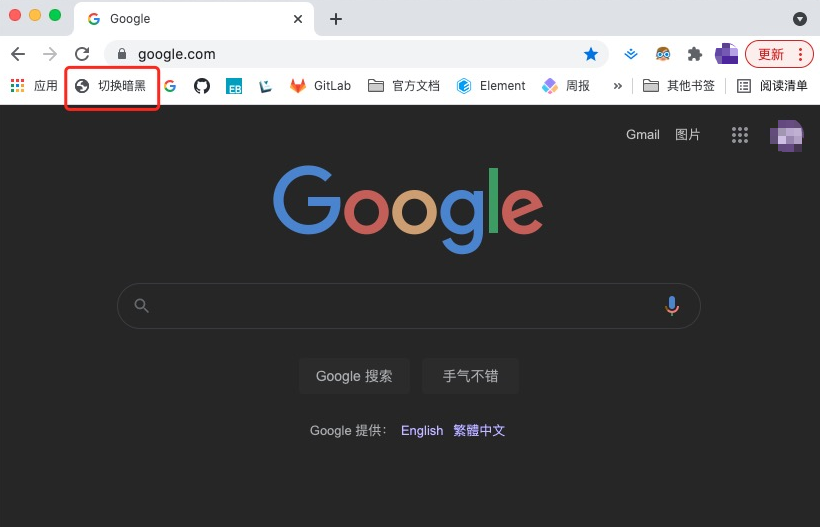
Let's start with a quick experiment. Open any website, launch the browser DevTools (F12), enter the following into the Console and hit Enter:
document.documentElement.style.filter='invert(85%) hue-rotate(180deg)'
The page instantly switches to dark mode.
How it works
document.documentElementreturns the root element of the document — the<html>tag.- We apply a CSS
filterto it:invert(85%) hue-rotate(180deg). invert()reverses all color values. At 85%, the result is a comfortable dark theme rather than a full negative.hue-rotate(180deg)rotates the hue wheel by 180 degrees, which compensates for the color shift introduced byinvert()and keeps the original hues roughly intact.
For more on CSS filters, see the MDN reference: filter (opens new window).
To make this even more practical — a single click to toggle the effect on any page — here is an improved version. It cycles through three states (normal → 85% dark → 100% dark) and excludes images, pictures and videos from the inversion so they retain their original appearance:
javascript: (function () { const docStyle = document.documentElement.style; if (!window.modeIndex) { window.modeIndex = 0; } const styleList = [ '', 'invert(85%) hue-rotate(180deg)', 'invert(100%) hue-rotate(180deg)', ]; modeIndex = modeIndex >= styleList.length - 1 ? 0 : modeIndex + 1; docStyle.filter = styleList[modeIndex]; document.body.querySelectorAll('img, picture, video').forEach(el => el.style.filter = modeIndex ? 'invert(1) hue-rotate(180deg)' : '');})();
Open your browser's bookmark manager, create a new bookmark, and paste this snippet into the URL field:

Now, on any website, just click the bookmark to switch to 85% dark mode. Click again for 100% dark. Click once more to return to normal.